Receive every ride request in one dashboard, assign the right driver or vendor in seconds and follow each trip until the duty is closed. CabCRM replaces paper slips, phone calls and spreadsheets with a single dispatch screen for your whole team.
Booking Dashboard
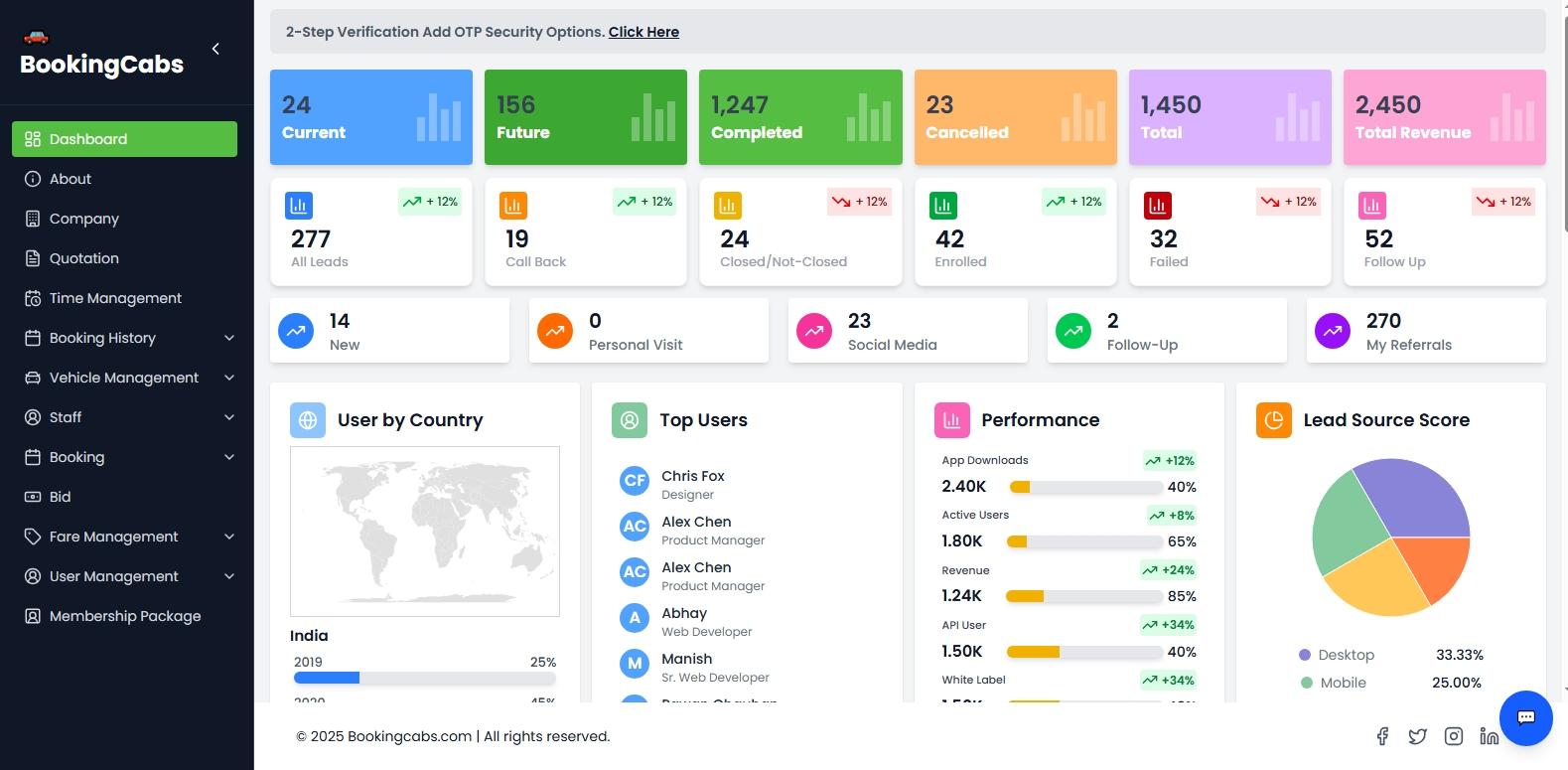
Bookings from calls, WhatsApp, IVR, your website, mobile apps and API partners arrive in one list with a real-time notification. Filter by status and open any booking in a new tab, so dispatchers always know what needs attention next.

Driver & Vehicle Allocation
Assign a trip to your own driver or to a vendor in your network, manually or automatically. The vehicle type is matched to the booking, the garage start time is set at allocation, and for cash duties the driver's wallet must cover your minimum balance before the trip is given.
Live GPS Tracking
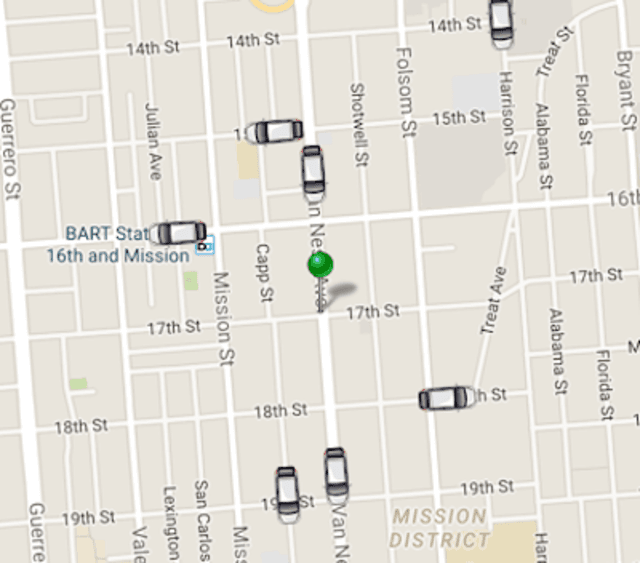
Follow vehicles and drivers on the map while they are on duty. See where each cab is, how far it has to go and which trips are running late, so your team can act before the customer calls.
Trip Status
Drivers start a trip with the customer's OTP and end it with a second OTP, with odometer photos at start and close. Travellers receive a short itinerary link by email or WhatsApp, and calls between traveller and driver can go through masked numbers.
Dispatcher Reports
Close each duty with separate vendor and company duty slips, review booking history by status, and keep an eye on complaints, cancellations and your team's performance.
A dispatcher assigns the booking to a driver or a vendor from the booking list, or CabCRM assigns it automatically. The driver and vendor are notified at once and the booking moves to the assigned status.
Yes. Vendors in your network can receive trips, and for vehicle types or routes without a fare you can ask vendors to bid and award the trip to the best offer.
The driver starts the trip with an OTP from the customer and ends it with a second OTP. Odometer photos can be added at the start and at duty close.
Booking history by status, duty slips for vendor and company, complaints with SLA tracking, and a staff performance report.