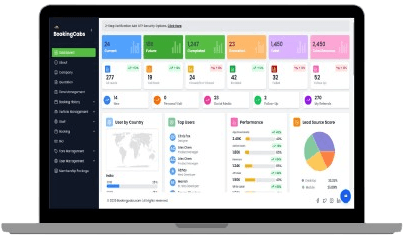
Manage bookings, dispatch, drivers and fleet operations in one place. CabCRM is cloud-based cab management software for cab operators, taxi fleets, travel agencies and corporate transport teams.
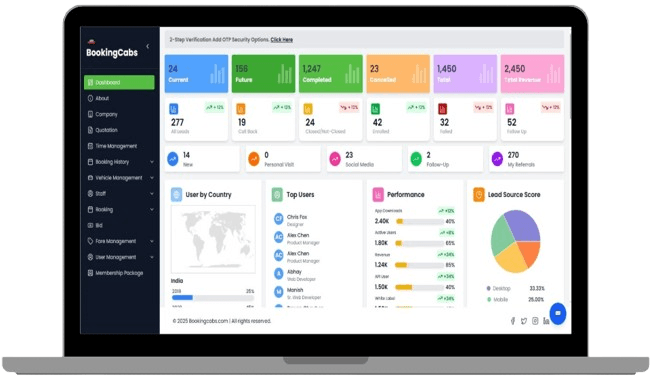
CABCRM.com Software
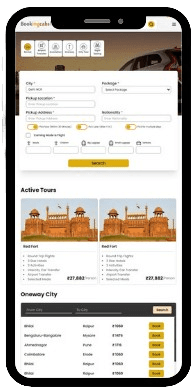
Bring all your booking requests from calls, WhatsApp, IVR, and your website into one dashboard. View, accept, and manage every ride with zero confusion and complete control.

Cab Dispatch System
Move beyond paper slips and delayed decisions. Dispatch every trip in minutes with smart automation, real-time controls, and powerful tools for dispatcher management.
Fleet Management software for cab companies
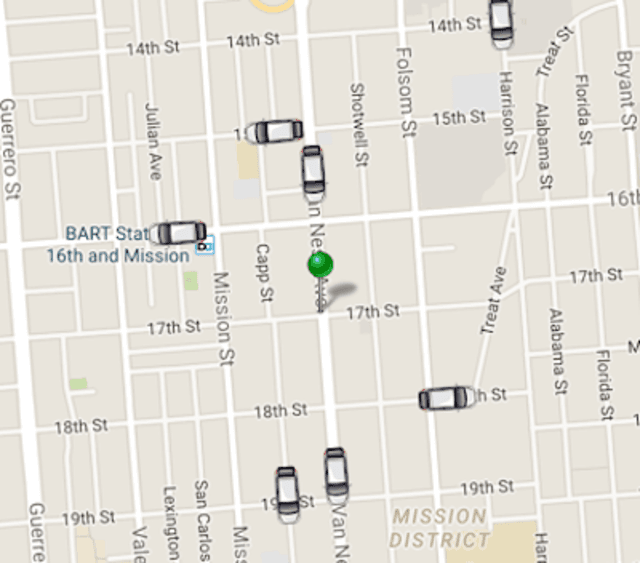
Track and manage your entire fleet in real time with our fleet management software for cab companies. Reduce idle time and keep your operations running smoothly.
Fare & Format
Set how every fare is calculated and shown, once for your company, and every booking, quotation and invoice follows it.
Round fares up, down or to the nearest value at the level you choose, and round distance to every N km, so customers always see clean, consistent prices.
Choose short and long date and time formats used across bookings, vouchers, invoices and SMS / email.
Pick the distance unit and the currency your prices are shown in, to match your market.
Add free kilometres and hours for each free outstation day (e.g. 80 km / 10 hrs), with sightseeing and activity days replacing them automatically.
Payments & Credit
Wallets, credit limits, advance rules and referral points — all set per company, so money moves only the way you allow.
Allow cash duties only when the driver or vendor wallet covers your minimum plus commission and GST.
Give corporate and agent accounts a credit limit, with optional approval before bookings go over it.
Let customers redeem referral points on plans and bookings, within the limits and approvals you set.
Hold bookings until the last cancellation date, with automatic reminders and auto-release when time runs out.
Set the minimum advance (as a % of the booking total) customers pay with Pay Now — 100% means full payment up front.
Operations
From garage start to trip close, CabCRM keeps drivers, vendors, travellers and your team in step — automatically.
Track every complaint against response and resolution times, with automatic escalation when an SLA is missed.
Connect travellers, drivers and vendors through masked numbers so personal phone numbers stay private.
Share traveller contact details with the vendor or driver only a set number of hours before pickup.
Work out when the cab must leave the garage so it reaches every pickup on time.
Allow backdated bookings for a set number of days, or only today and future dates.
Remind drivers before their duty starts, on the channels and at the intervals you choose.
Auto-assign the nearest available driver, choose the default trip OTP (start, end or both) and prompt drivers to collect the balance at close duty.
Bidding / Request Quote
For vehicles or routes without a set fare, customers request a quote and your vendor network competes for the trip.
Vehicle types without a fare show Request Quote instead of a price.
Vendors see open requests and submit their best price before the bidding closes.
Admin awards the best bid and the price is held for the customer to book.

Number Prefixes
Set your own prefix for every document, so references are easy to recognise and match in your accounts.
Booking reference numbers.
Bookings on hold.
Quotations sent to customers.
Trip itineraries.
Credit notes and refunds.
Complaint tickets.
Tax invoices.
Who run the company
Who handle every trip
Who drive and supply cabs
From the first booking to the final invoice, every step runs in one system.
Add your company, cities, vehicle types and fares once. Every booking, quotation and invoice follows them.
Bookings from your website, app, phone, WhatsApp, IVR and partners arrive in one dashboard with a real-time alert.
Assign the trip to your own driver or a network vendor, manually or automatically, or let vendors bid.
The driver starts and ends the trip with the customer's OTP while you follow the cab live.
Close the duty with duty slips, send the invoice and record the payment.
CabCRM is cloud-based cab booking, dispatch and fleet management software for taxi operators, travel agents and corporates. Bookings, dispatch, drivers, vendors, billing and your branded website all run from one dashboard.
Cab and taxi companies, fleet owners, travel agents, tour operators, corporates managing employee travel, and vendors or drivers who supply cabs.
Local rental, outstation (one way and round trip), airport and railway transfers, city tours and sightseeing, and multi-city trips with a day-by-day itinerary.
Yes. Bookings from calls, WhatsApp, IVR, your website, mobile apps and API partners all arrive in one dashboard with real-time notifications.
Assign trips manually or let CabCRM auto-dispatch to the right driver or vendor. Dispatchers see every booking's status — unassigned, on trip, on hold, completed or cancelled — on one screen.
Yes. Drivers see their duties, start and end trips with customer OTPs, upload odometer photos, close duties with duty slips and track their wallet and earnings.